


Screenshot X - Screen Capture
4.32.69K Reviews
App Specs
- Version
- 2.103.0
- Updated On
- License
- Free
- Downloads
- 5,000,000+
- Developer
- TarrySoft
- Categories
- Photography
- Platform
- Android
Screenshots
 Analysis by AppCompare
When I need to save something on my phone screen without interrupting what I’m doing, I want the capture step to be quick and predictable. Screenshot X - Screen Capture is built around that straightforward job, with a one-touch approach and tools for handling an image after it is taken. It is a free photography app from TarrySoft, and its appeal is practical: it aims to make saving and sharing what is on screen less fiddly.
Getting Started with Screenshot X
It is worth deciding first whether you need a separate screenshot app at all. Android and iOS already include ways to capture the display, and those built-in tools are usually enough for an occasional image. I would look at Screenshot X when I want a dedicated route to capture, review, and prepare screenshots, rather than simply pressing the phone’s usual buttons. The app has an average rating of 4.3 from around 76,000 ratings, and more than five million installs, so it has found an audience among people who regularly save screen content.
Screenshot X is free to download, is rated Everyone, and its current version is 2.102.7. It supports Android 6.0 and later. Optional in-app purchases range from $0.99 to $99.99 per item, so I would check the purchase details in the app before spending; the basic download does not mean every possible extra is free. TarrySoft is the developer, and the app has been available since February 12, 2015. Those details make it a long-running option, though I would still judge it by whether its capture flow suits my own phone and habits.
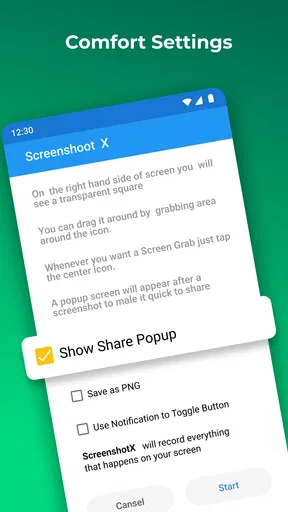
The first practical question is how you want to trigger a capture. A one-touch tool can be more comfortable than remembering a button combination, especially if you take screenshots frequently or have trouble pressing physical buttons together. The trade-off is that a dedicated app adds another step to set up and learn. I would try it with a few ordinary captures before moving important routines over, so I can see whether the way it starts and handles images feels natural on my device.
Using the App
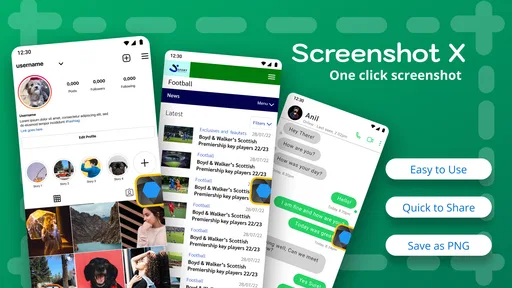
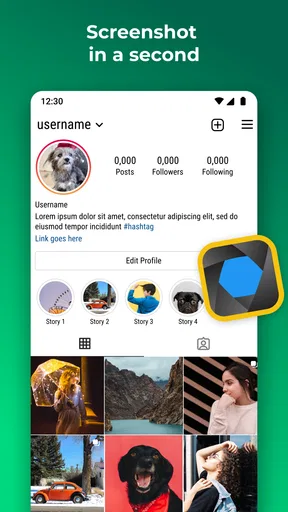
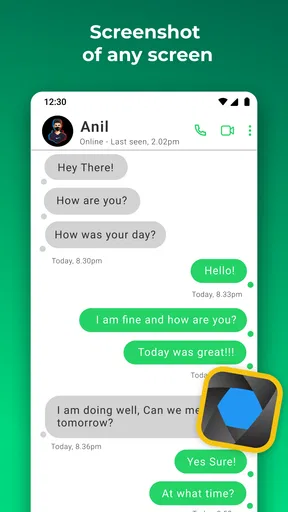
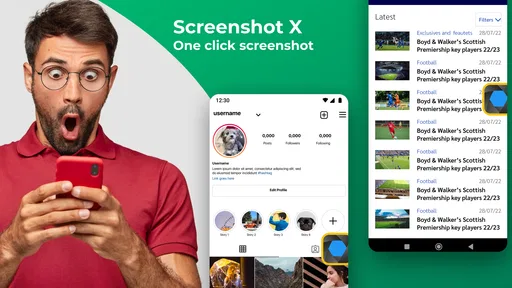
Using Screenshot X is as easy as pie. With a simple tap, you can capture whatever is on your screen. Whether you’re trying to save a hilarious meme, an informative article, or a conversation, this app has got you covered. The best part? You don’t need to fumble with button combinations like you do with other methods.
One feature I particularly love is the ability to take scrolling screenshots. Let’s say you’re reading a long article or browsing a webpage that doesn’t fit on one screen. Screenshot X lets you capture the entire page seamlessly. Just swipe, capture, and voila – you’ve got the whole thing saved!
That longer capture is useful when a single screen would leave out context: for example, saving a set of instructions, a long message thread, or a page you need to refer to later. I would still check the finished image before sharing it. Scrolling captures can be less useful when a page has moving content, fixed banners, or awkward breaks; in those cases, a few separate screenshots may be easier to read than one tall image.
Worth Reading Before You Choose

EA SPORTS FC Mobile 26 Is a Bigger Football Game, but It Takes Time

Flipboard Shows What News Apps Must Do Beyond the Feed

Switching to Android Auto Means Rethinking Your Driving Routine

Google Calendar Makes a Crowded Week Easier to Manage

Ludo King Makes the Most of the Minutes Between Plans

Baby Panda World Brings Quick Play to Modern Phones, but Its Game Library Feels Busy
A small workflow tip is to decide what the screenshot is for before you take it. If I am saving something for myself, I can keep the full image and sort it later. If I am sending it to someone, I can capture only the relevant section where possible and review the result for private details around the edges. That quick check matters with screenshots because notifications, names, and other on-screen information can be included alongside the thing I meant to save.
Customization and Features
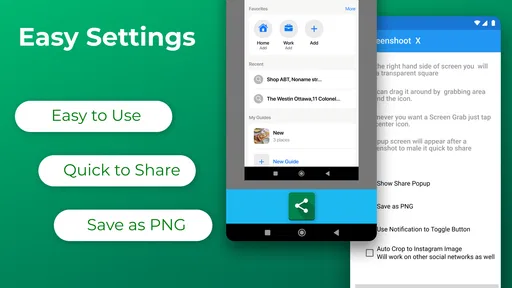
Now, let’s talk customization. Screenshot X offers a few neat editing tools right after you take a screenshot. You can crop the image, add annotations, or even doodle on it. It’s perfect for when you want to highlight specific areas or add a personal touch before sharing it with friends.
Those simple edits can save a trip to a separate photo editor when all I need is to point out a detail or remove unrelated parts of a screen. For a practical example, I might crop a map or a product page and mark the line I want a friend to notice. But I would not treat these tools as a replacement for a full image editor: if I need careful retouching, complex layouts, or a polished graphic, another app is the better fit. Annotations are most helpful when they clarify the screenshot, not when they cover so much that the original information becomes hard to see.
The app also maintains a library of all your screenshots, neatly organized for easy access. You can even create folders within the app to categorize your images, which comes in handy if you’re a bit of an organizational freak like me.
Folders are most valuable when screenshots have more than one purpose. I would separate reference images I may need again from items I only plan to share once, for instance, and periodically remove captures that have stopped being useful. That habit prevents a screenshot collection from turning into an unsearchable pile. It also makes the library a stronger reason to use a dedicated app than the basic capture function alone, particularly for someone who saves receipts, study notes, or troubleshooting steps.
Performance and User Experience
In terms of performance, Screenshot X runs smoothly without any noticeable lag. It's lightweight and doesn’t hog your device’s resources, which means it won’t slow down your phone. The user experience is enhanced by its minimalistic design and responsiveness, making it a joy to use.
My recommendation is to test the complete routine, not just the capture button: take an image, find it in the library, make a small edit, and share or save it where you need it. That reveals whether the app fits the way you actually work. On a phone where the built-in screenshot preview already makes cropping and sharing effortless, a separate tool may feel redundant. On the other hand, frequent users may value having capture and basic organization in one place.
And here’s something cool – the app supports multiple languages, catering to users from different regions. This inclusivity is something I genuinely appreciate, as it opens up the app to a wider audience.
One everyday use case is helping someone solve a phone or account problem. I can capture the screen that shows the confusing setting, crop away unrelated areas, and mark the control they need to tap. Before sending it, I would check that passwords, codes, personal messages, or account details are not visible. A screenshot is convenient, but it is also a copy of whatever was on screen at that moment, so a little care before sharing is worthwhile.
Choosing It Over Other Screenshot Options
Let’s face it, there are tons of screenshot apps out there. So, what makes Screenshot X stand out? For me, it’s the combination of ease of use, advanced features like scrolling capture, and the ability to edit right away. Plus, the lack of intrusive ads and its lightweight nature make it a keeper.
Compared with the built-in capture tools on a phone, Screenshot X makes more sense when you want its particular one-touch flow, scrolling capture, or in-app handling. The built-in option is the simpler choice if you only take an occasional screenshot and already like how your phone lets you crop and share it. Other dedicated capture apps may suit people who need a specialized workflow, but I would compare their actual tools rather than assume that every app offers the same controls. For most people, the deciding point is whether Screenshot X removes enough friction to justify keeping another app installed.
There is also a switching cost to consider. If your screenshots already land in a familiar place and are easy to find, moving to a separate library may create duplicate habits rather than simplify them. I would choose one main place to store important captures and use folders consistently, instead of saving the same image in several locations. If you only need to send a single image now and then, the extra organization may not repay the time it takes to maintain it.
Moreover, the app developers seem committed to regular updates, ensuring that it stays compatible with the latest OS versions and incorporates user feedback. This ongoing support is crucial for any app to remain relevant and functional over time.
Who Should Give It a Try
I would recommend Screenshot X to people who capture screen content often and want a dedicated way to make, adjust, and keep those images. It is particularly appealing if you regularly save long pages, prepare visual instructions for friends or colleagues, or like sorting reference screenshots into folders. The combination of capture and simple annotation is useful for small, practical jobs where opening a more involved editor would be overkill.
I would skip it if your phone’s built-in screenshot controls already do everything you need, if you rarely take captures, or if your main goal is advanced image editing. It is also not automatically the best choice for someone who wants a complete document-saving system: screenshots can be awkward to search and read compared with saving a page or document in its original format. In those situations, a browser’s reading or saving tools, a notes app, or a full editor may serve you better.
Final Thoughts
In a world where we constantly share and save digital content, having a reliable screenshot tool is essential. Screenshot X - Screen Capture ticks all the right boxes for me. It’s efficient, user-friendly, and packed with features that cater to both casual users and those who need a bit more from their screen capture tool.
So, if you’re on the lookout for a solid screenshot app, give Screenshot X a shot. It’s one of those apps that you didn’t know you needed until you try it. Trust me, once you do, you’ll wonder how you ever managed without it!
Pros
- Easy to use interface for quick captures.
- Supports high-resolution screenshots.
- Useful annotation tools available.
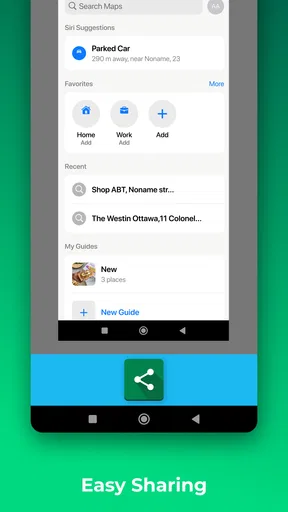
- Allows sharing directly from the app.
- No ads in the premium version.
Cons
- Free version has frequent ads.
- Limited editing tools compared to others.
- Occasional lag on older devices.
- Some features require in-app purchases.
- No cloud storage integration.
FAQs for Screenshot X - Screen Capture
What is Screenshot X - Screen Capture and what does it do?
Screenshot X - Screen Capture is a versatile app designed to make taking, editing, and sharing screenshots on your device straightforward and efficient. It allows users to capture any part of their screen quickly, annotate images, and share them across various platforms with ease. Ideal for both personal and professional use, it simplifies the process of documenting and sharing visual information.
Is Screenshot X - Screen Capture available for both Android and iOS devices?
Yes, Screenshot X - Screen Capture is available for both Android and iOS platforms. Users can download it from the Google Play Store for Android devices and the App Store for iOS devices. The app is optimized to work seamlessly across different devices, ensuring a consistent and user-friendly experience regardless of your operating system.
Does Screenshot X - Screen Capture offer any editing tools for screenshots?
Absolutely! Screenshot X - Screen Capture provides a range of editing tools to enhance your screenshots. Users can annotate images with text, draw shapes, blur sensitive information, and apply filters. These features make it easy to customize screenshots for presentations, tutorials, or personal use, all within the app, eliminating the need for additional software.
Are there any privacy concerns with using Screenshot X - Screen Capture?
Screenshot X - Screen Capture is designed with user privacy in mind. The app does not collect or store any personal data from users. Screenshots are saved directly to your device, and the app does not upload them to any servers. Users can share their screenshots at their discretion, ensuring complete control over their content.
Is there a cost associated with using Screenshot X - Screen Capture?
Screenshot X - Screen Capture is available as a free download with basic features. However, there is a premium version available for users who want access to advanced editing tools and an ad-free experience. The premium features are available through a one-time purchase or a subscription model, offering flexibility based on user needs.


